


In this section, we’ll walk you through the UX design process, breaking it down into easy-to-understand steps. Whether you’re a beginner or looking to enhance your skills, this step-by-step tutorial will guide you in navigating the design process effectively. Let’s dive in!
Gathering User Research
- Start by understanding your target audience. Identify their needs, preferences, and pain points through techniques like user interviews, surveys, and market research.
- Analyze and interpret the collected data to gain insights into user behavior and motivations. Use this information to inform your design decisions.
Defining User Personas
Tip: Creating user personas helps you empathize with your target users and design experiences tailored to their needs.
Create fictional characters representing your target audience segments. Define their characteristics, goals, and behaviors to develop a clear understanding of your users.
Information Architecture and User Flow
- Organize and structure your content in a way that is intuitive for users to navigate. Use techniques like card sorting and creating sitemaps to outline the information hierarchy.
- Develop user flows to map out the sequence of actions users will take to accomplish their goals. This helps ensure a seamless user experience.
Sketching and Wireframing
Translate your ideas into visual representations through sketching and wireframing. These low-fidelity designs allow you to quickly iterate and test different concepts without investing too much time.
Prototyping and User Testing
Quote: “Prototyping and user testing are essential to refining and validating your design decisions.” -Jane Smith, UX Designer
Create interactive prototypes that simulate the user experience. Conduct usability testing sessions with real users to gather feedback and identify areas for improvement.
Visual Design
Apply visual design principles to enhance the aesthetics and usability of your interface. Consider factors like color theory, typography, and layout to create visually appealing and cohesive designs.
Iterative Design and Development
Refine and iterate your design based on user feedback and insights gathered from testing. Collaborate with developers to ensure the effective implementation of your design.
By following this step-by-step UI/UX tutorial, you’ll be well-equipped to create user-centric designs that deliver exceptional experiences. The next section will delve into the key principles of UI design, providing you with valuable insights for creating visually appealing interfaces.
Key Principles of UI Design
When it comes to creating visually appealing and user-friendly interfaces, UI design plays a crucial role. By understanding and applying the key principles of UI design, you can elevate your designs and deliver a seamless user experience. Here are some essential principles and practical tips to guide you:
1. Simplicity
Keep your designs clean and straightforward. Avoid clutter by removing unnecessary elements and focusing on what’s essential. A minimalist approach allows users to navigate your interface effortlessly and reduces cognitive overload.
2. Consistency
Consistency is key to providing a cohesive user experience. Maintain consistency in visual elements such as colors, typography, icons, and button styles throughout your interface. This helps users understand and familiarize themselves with your design quickly.
3. User-Friendly Navigation
Intuitive and user-friendly navigation is essential for guiding users through your interface effectively. Use clear labels, logical hierarchy, and recognizable icons to enable users to find what they need effortlessly.
4. Responsive Design
In today’s multi-device world, it’s crucial to design interfaces that adapt seamlessly to different screen sizes and resolutions. Implement responsive design techniques to ensure a consistent and optimized experience across desktop, mobile, and tablet devices.
5. Visual Hierarchy
Create a clear visual hierarchy to guide users’ attention and emphasize important elements. Use size, color, contrast, and positioning to differentiate between different elements, ensuring that the most critical information stands out.
6. Feedback and Responsiveness
Provide visual feedback and responsive interactions to keep users engaged and informed. Use animations, microinteractions, and real-time updates to provide a delightful user experience and communicate system status effectively.
By applying these key principles of UI design, you can create aesthetically pleasing interfaces that enhance user engagement and satisfaction. Remember, a well-designed UI is not just visually appealing but also intuitive and user-friendly.
User-Centered Design Approach
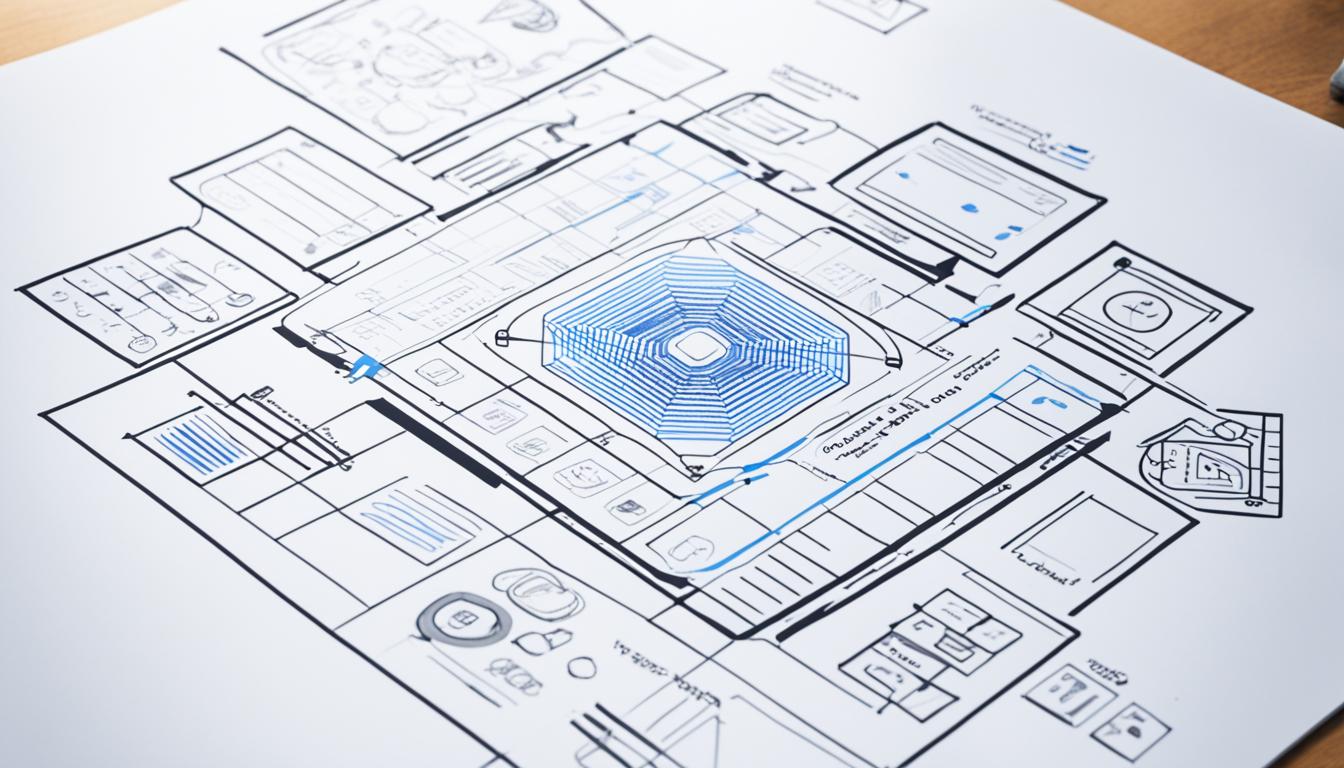
A successful design is one that puts the user front and center. It is crucial to understand the importance of considering user needs and preferences throughout the entire UX design process. By adopting a user-centered approach, you can create designs that truly resonate with your target audience.
The user-centered design (UCD) approach emphasizes the importance of involving users in the design process right from the start. By understanding their goals, behaviors, and pain points, you can create intuitive and effective user experiences.
“Design is not just what it looks like and feels like. Design is how it works.” – Steve Jobs
When you prioritize user needs, you enhance the usability and overall satisfaction of your design. By incorporating user feedback, you can make informed design decisions that align with real-world user expectations. This iterative process allows you to refine and improve your design based on user insights.
To truly embrace a user-centered design approach, consider the following:
1. Conduct User Research
Start by conducting thorough user research to gain a deep understanding of your target audience. This can be accomplished through surveys, interviews, and observing user behavior. By uncovering their motivations and pain points, you can design solutions that address their specific needs.
2. Create User Personas
User personas are fictional representations of your target users. By defining their characteristics, goals, and frustrations, you can design with empathy and ensure your solutions resonate with your audience. Use these personas as a constant reference throughout the design process.
3. Test and Iterate
Regularly test your designs with real users to gather valuable feedback. User testing provides insights into how users interact with your design, allowing you to identify usability issues and make iterative improvements. Incorporate this feedback into your design to create a more user-centric experience.
4. Involve Users in Co-creation
Engage users in the design process by involving them in co-creation activities. This collaborative approach ensures that your design caters to their needs and preferences. Workshops, focus groups, and design sprints are effective methods for involving users in the ideation and decision-making processes.
5. Continuously Gather Feedback
Feedback is a crucial component of user-centered design. Collect feedback from users at various stages of the design process, and use it to validate and refine your designs. Implement tools like surveys, usability tests, and feedback forms to create a feedback loop that drives constant improvement.
By embracing a user-centered design approach, you ensure that your designs are rooted in empathy, usability, and effectiveness. Prioritizing user needs throughout the entire UX design process leads to designs that not only look great but also deliver exceptional user experiences.
Wireframing and Prototyping
Wireframing and prototyping are crucial steps in the UI/UX design process. They allow you to visualize and test your design ideas before implementation, ensuring that the final product meets the needs and expectations of your users. In this section, we will provide you with a step-by-step tutorial on how to create effective wireframes and prototypes, making the design process more manageable and efficient.
What is Wireframing?
Wireframes are simplified visual representations of your design concept. They outline the structure and layout of your user interface without concerning aesthetics or detailed visuals. Wireframes are typically low-fidelity and serve as a blueprint for your design.
The Importance of Wireframing
Wireframing helps you to:
- Define the overall layout and hierarchy of elements in your interface
- Identify potential usability issues and make necessary revisions
- Communicate your design ideas clearly with stakeholders and team members
Steps to Create an Effective Wireframe
Follow these steps to create an effective wireframe:
- Start by determining the primary goals and user needs for your design.
- Create a basic skeletal structure that represents the main components of your interface, such as navigation, content area, and interactive elements.
- Add specific content and placeholder text to give context and demonstrate the flow of information.
- Focus on arranging elements in a logical and intuitive manner, considering user expectations and industry conventions.
- Keep the layout clean and uncluttered to ensure a clear understanding of the overall structure.
- Validate your wireframe by gathering feedback from stakeholders and potential users.
What is Prototyping?
A prototype is a more interactive and high-fidelity representation of your design concept. It allows users to engage with your interface, providing valuable insights into its usability and functionality.
The Benefits of Prototyping
Prototyping helps you to:
- Test the usability and effectiveness of your design in a realistic environment
- Identify areas for improvement and iterate on your design based on user feedback
- Validate your design decisions and reduce the risk of costly mistakes during development
Steps to Create an Effective Prototype
Follow these steps to create an effective prototype:
- Identify the key user interactions and functionalities that need to be demonstrated in your prototype.
- Select the appropriate prototyping tools that align with your project requirements and skillset.
- Create interactive elements and transitions to simulate user interactions and navigation.
- Focus on capturing the look and feel of your final design, including colors, typography, and visual elements.
- Test and validate your prototype with real users to gather valuable feedback and insights.
Wireframing vs. Prototyping: What’s the Difference?
While wireframes serve as a structural guide, prototypes offer a more interactive and realistic user experience. Wireframing comes first in the design process, outlining the basic layout and structure, while prototyping builds upon wireframes to demonstrate the functionality and overall user experience.
| Wireframing | Prototyping |
| Low-fidelity representation | High-fidelity representation |
| Focuses on structure and layout | Includes interactive elements and user flows |
| Helps in early ideation and planning | Allows for testing and validation |
By combining wireframing and prototyping in your design process, you can create user-centered interfaces that are both visually appealing and functional.
Visual Design Best Practices
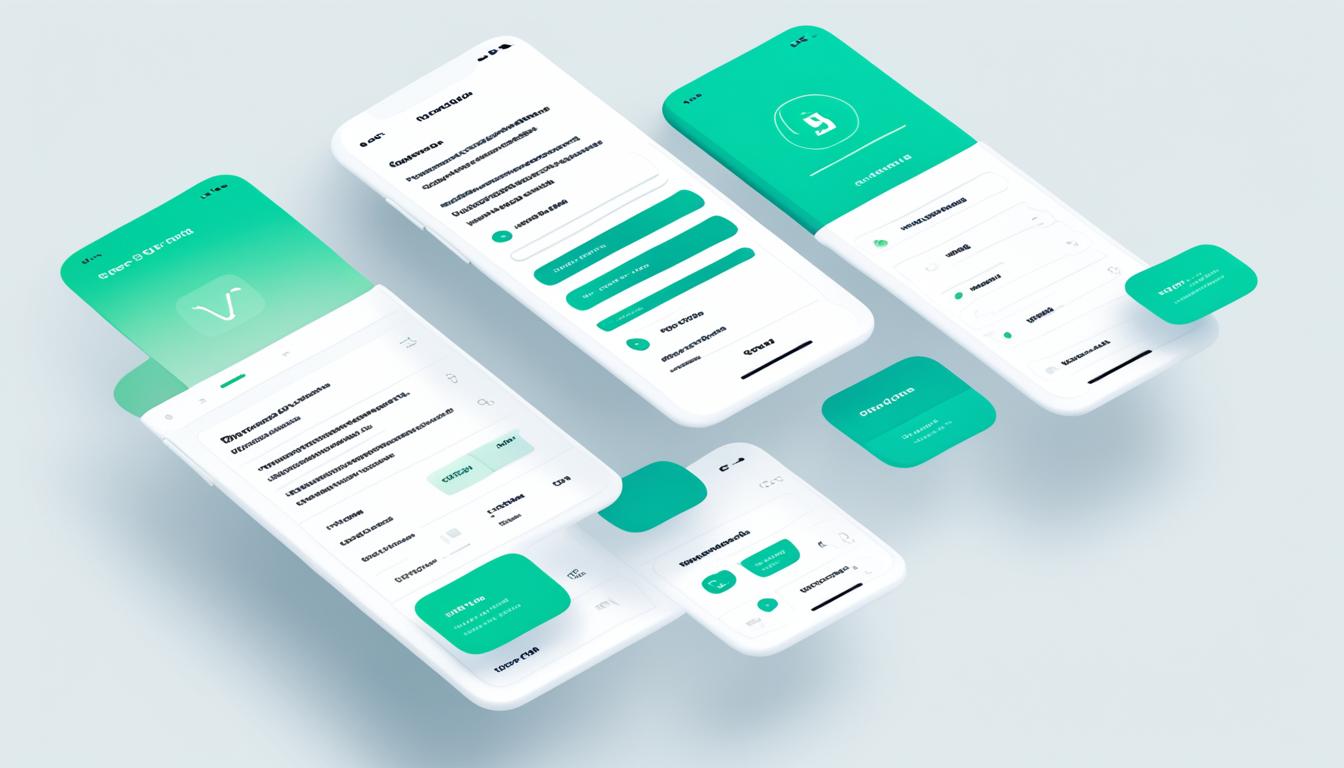
When it comes to creating engaging user experiences, visual design is a key component. By following best practices for selecting colors, typography, and layout, you can enhance the visual appeal and cohesiveness of your designs. Let’s explore some UI design principles and user interface design tips to help you create stunning user interfaces.
Colors
Colors play a crucial role in evoking emotions and establishing visual hierarchy. Consider the following tips for selecting colors:
- Use a limited color palette to maintain consistency and avoid overwhelming the user.
- Choose colors that align with your brand identity and reflect the tone and personality of your product or service.
- Ensure sufficient contrast between text and background colors for readability.
Typography
The right typography can enhance the readability and visual impact of your design. Follow these tips for effective typography:
- Choose fonts that are legible and appropriate for your target audience.
- Consider font pairings that create a harmonious and cohesive visual aesthetic.
- Pay attention to font sizes, line spacing, and letter spacing to ensure optimal readability.
Layout
A well-structured layout helps users navigate your interface and find the information they need. Keep these layout tips in mind:
- Ensure clear and logical hierarchy by using size, color, and spacing to distinguish between different elements.
- Group related elements together to create visual coherence and improve the efficiency of user interactions.
- Utilize whitespace strategically to provide breathing room and prevent visual clutter.
Remember, visual design is not just about making things look pretty; it’s about creating intuitive, user-centered experiences. By applying these UI design principles and user interface design tips, you can elevate the visual appeal and usability of your designs.
Usability Testing and Feedback
Usability testing and gathering feedback are crucial steps in the UI/UX design process. By conducting usability tests and collecting feedback, you can gain valuable insights into how users interact with your designs and make iterative improvements to enhance the overall user experience.
When it comes to usability testing, it’s important to consider the user-centered design approach. This approach focuses on putting the needs and preferences of your target audience at the forefront of your design decisions.
To conduct usability tests effectively, follow these steps:
- Define test objectives: Clearly establish what you want to achieve through the usability test. Are you testing the ease of navigation, the clarity of information, or the efficiency of specific tasks?
- Select participants: Choose participants who represent your target audience. Their feedback will provide valuable insights into the overall usability of your design.
- Create test scenarios: Develop realistic scenarios that align with your test objectives. These scenarios should guide participants through specific tasks to evaluate how well your design meets their needs.
- Conduct the test: Administer the usability test, making note of participants’ actions, feedback, and difficulties encountered. Pay attention to their verbal and nonverbal cues as they interact with the design.
- Analyze the results: Review the data collected during the usability test. Identify patterns, common pain points, and areas where improvements can be made to enhance the user experience.
Alongside usability tests, gathering feedback from users is essential. This can be done through surveys, interviews, or user feedback forms. By actively seeking user feedback, you can gain valuable insights and understand user preferences, pain points, and suggestions for improvement.
Remember, the goal is to create a design that solves user problems and provides a seamless experience. User feedback is a goldmine of information that can help you refine your designs and ensure they align with user expectations.
By incorporating usability testing and feedback gathering into your UI/UX design process, you can iterate and refine your designs based on real user insights, resulting in a more user-centered and successful end product.
Benefits of Usability Testing and Feedback
Here are some key benefits of usability testing and feedback:
- Identify usability issues: Usability testing helps uncover any obstacles or difficulties users may encounter when interacting with your design.
- Improve user satisfaction: By addressing user feedback and making iterative improvements, you can enhance the overall user experience and increase user satisfaction.
- Validate design decisions: Usability testing provides validation for design choices, helping you make informed decisions based on user feedback and data.
- Save time and resources: Identifying usability issues early on in the design process allows you to make necessary adjustments before significant resources are invested.
Take a look at this example of a usability testing and feedback process:
| Step | Task | Description |
| 1 | Define test objectives | Clearly establish the goals and objectives of the usability test. |
| 2 | Select participants | Choose participants who represent your target audience. |
| 3 | Create test scenarios | Develop realistic scenarios that align with the objectives of the test. |
| 4 | Conduct the test | Administer the usability test, making note of participants’ actions and feedback. |
| 5 | Analyze the results | Review the data collected during the usability test and identify patterns and areas for improvement. |
Usability testing and gathering feedback are essential components of a user-centered design process. By incorporating them into your UI/UX design workflow, you can create designs that align with user needs, preferences, and expectations.
Designing for Different Devices and Platforms
When it comes to UI/UX design, it’s crucial to consider the various devices and platforms your users may be accessing your product or service from. Whether it’s a smartphone, tablet, desktop computer, or even a smart TV, your design should adapt and provide a seamless experience across all screens.
By adhering to UI design principles and understanding the basics of easy UI/UX design, you can create designs that are not only visually appealing but also work well across different devices. Here are some key considerations:
Responsive Design
One of the core principles of UI design is responsive design. This approach allows your design to automatically adjust and adapt to different screen sizes and orientations. By using flexible grids, images, and CSS media queries, you can ensure that your design looks great on any device.
Optimized Navigation
Navigating through a website or app should be effortless, regardless of the device or platform. Easy-to-use navigation menus, clear labels, and intuitive interactions are crucial elements of a successful UI/UX design. Make sure your navigation is accessible and functional on all screen sizes.
Consistent Branding
Consistency is key when it comes to branding. Ensure that your brand elements such as colors, typography, and logos remain consistent across different devices and platforms. This creates a cohesive and familiar experience for your users.
Adaptive Layouts
While responsive design ensures your design adapts to different screen sizes, adaptive layouts take it a step further by optimizing the layout and content specifically for each device or platform. By tailoring your design to suit the capabilities and limitations of different devices, you can provide the best possible user experience.
Remember, designing for different devices and platforms is an essential aspect of UI/UX design. By implementing these design principles and considering the unique characteristics of each device, you can create designs that are visually appealing, user-friendly, and accessible across different screen sizes and platforms.
| Device | Screen Size | Platform | Considerations |
| Smartphone | 4-7 inches | iOS, Android | – Optimize for touch interactions – Design for portrait and landscape orientations – Consider limited screen real estate |
| Tablet | 7-12 inches | iOS, Android | – Utilize the larger screen space – Design for both touch and keyboard interactions – Consider landscape orientation |
| Desktop | Various sizes | Windows, macOS, Linux | – Design for mouse and keyboard interactions – Optimize for larger screen resolutions – Consider multi-window usage |
| Smart TV | 40+ inches | Various platforms | – Design for remote control interactions – Optimize for large distances – Consider limited input capabilities |
Conclusion
Congratulations on completing our step-by-step guide to UI/UX design for beginners! We hope this comprehensive guide has equipped you with valuable insights and practical techniques to kickstart your design journey. Whether you’re new to design or looking to enhance your skills, this guide has provided you with the fundamental knowledge to create intuitive user experiences.
Remember to apply what you’ve learned and continue exploring new trends and best practices in the ever-evolving field of UI/UX design. The key to becoming a successful designer is to stay curious and constantly improve your skills. Don’t be afraid to experiment and think outside the box to create unique and compelling designs.
As you embark on your design journey, always keep the needs and preferences of your users at the forefront. Take a user-centered approach and gather feedback to continuously improve the user experience. By creating designs that prioritize usability and delight users, you’ll be well on your way to becoming a proficient UI/UX designer.
Thank you for joining us on this beginner-friendly UI/UX design adventure. We wish you all the best as you apply your newfound knowledge and create amazing user experiences. Happy designing!
FAQ
What is UI/UX design?
UI/UX design refers to the process of designing user interfaces (UI) and user experiences (UX) for digital products and services. It involves creating visually appealing and intuitive designs that enhance user satisfaction and engagement.
How do UI and UX design differ?
UI design focuses on the visual aspects of designing interfaces, such as selecting colors, typography, and layout. On the other hand, UX design involves understanding user behavior, conducting user research, and creating wireframes and prototypes to optimize the overall user experience.
What are some beginner-friendly UX design principles?
Some beginner UX design principles include understanding user needs, conducting thorough user research, simplifying complex interactions, and ensuring clear and concise communication through visual elements and content.
What is the UX design process for beginners?
The UX design process for beginners typically involves conducting user research, creating user personas, defining user flows, creating wireframes and prototypes, conducting usability testing, and iterating on the design based on user feedback.
What are some easy UI/UX design basics?
Some easy UI/UX design basics include understanding design principles, creating consistent and visually appealing designs, using effective typography and color schemes, ensuring intuitive navigation, and considering user feedback throughout the design process.
How important is a user-centered design approach?
A user-centered design approach is crucial for creating successful designs. By considering user needs, preferences, and feedback, you can create intuitive and engaging experiences that cater to the specific requirements of your target audience.
What are wireframing and prototyping?
Wireframing is the process of creating a simplified visual representation of a user interface, focusing on layout and content structure. Prototyping involves creating interactive and functional models of the design, allowing users to experience and provide feedback before implementation.
What are some visual design best practices for UI?
Some visual design best practices for UI include selecting colors that evoke the desired emotions, using typography that is easy to read and aligns with the brand, creating a visually consistent layout, and using visual hierarchy to guide user attention.
Why is usability testing and feedback important in UI/UX design?
Usability testing helps identify any usability issues or pain points in the design, allowing you to make iterative improvements. Gathering feedback from users helps you understand their perspectives and preferences, ensuring a user-centric design approach.
How do you design for different devices and platforms?
Designing for different devices and platforms requires considering factors such as screen sizes, input methods, and platform-specific design guidelines. It involves creating responsive and adaptive designs that provide a consistent user experience across various devices and platforms.