


User experience design is a critical aspect of web design that focuses on creating positive and meaningful experiences for users. By understanding user needs and preferences, you can design websites that are intuitive, engaging, and enjoyable to use. In this section, we will explore strategies and methods to enhance user experience design, ensuring that your website leaves a lasting impression on visitors.
Conducting User Research
To create a user-centric design, it’s crucial to gain insights into your target audience. User research allows you to understand their goals, behaviors, and pain points. By conducting surveys, interviews, and usability testing, you can gather valuable feedback that informs your design decisions. Incorporating user feedback early in the design process helps you create experiences that meet user expectations effectively.
Prototyping for Iterative Design
Prototyping is a crucial step in the UX design process. It allows you to visualize and test different design concepts before finalizing your website. By creating prototypes, you can gather feedback from users and stakeholders, identifying areas for improvement and refining your design iteratively. This iterative approach ensures that your final design aligns with user expectations and provides an optimal user experience.
Usability Testing for Optimization
“Usability testing is vital to assess the effectiveness and efficiency of your website design. By observing users as they perform specific tasks on your site, you can identify usability issues and bottlenecks. This data-driven approach helps you identify areas of improvement and refine your design decisions, ultimately creating a seamless and enjoyable user experience.”
Creating Engaging Interactions
Interactive elements play a significant role in enhancing user engagement. By incorporating interactive features such as animations, microinteractions, and intuitive navigation, you can create a dynamic and engaging user experience. These interactions help users navigate through your website, understand its content, and accomplish their goals efficiently.
By focusing on enhancing user experience design, you can create websites that captivate and delight users. Employing user research, prototyping, usability testing, and engaging interactions, you can ensure that your website meets user expectations and leaves a positive and lasting impression.
Ensuring Website Usability
When it comes to web design, ensuring website usability is paramount to engaging users and keeping them on your site. A user-friendly website encourages visitors to explore, navigate, and interact with your content. To enhance website usability, it’s important to optimize navigation, content organization, and overall user flow.
To help you improve the usability of your website, here are some techniques you can implement:
- Intuitive Navigation: Design a clear and intuitive navigation menu that allows users to easily find the information they’re looking for. Keep the navigation menu simple, organized, and accessible on every page.
- Clear Call-to-Actions: Use visually prominent and descriptive call-to-action buttons to guide users towards their desired actions. Make sure the buttons are easy to locate and understand.
- Consistent Layout: Maintain a consistent layout and visual hierarchy across all pages of your website. Consistency helps users navigate your site more efficiently and reduces cognitive load.
- Responsive Design: Optimize your website for different devices and screen sizes. Responsive design ensures that your site is accessible and user-friendly on desktop computers, tablets, and smartphones.
- Fast Loading Speed: Minimize page load times by optimizing images, minimizing code, and utilizing caching techniques. A fast-loading website enhances user experience and reduces the risk of visitors leaving due to long wait times.
“Good design is obvious. Great design is transparent.” – Joe Sparano
By implementing these techniques, you can create a website that is not only visually appealing but also easy to navigate and interact with. Remember, good website usability leads to higher user satisfaction, longer visit durations, and increased conversions.
Common Usability Issues and Solutions
| Usability Issue | Solution |
| Poorly organized content | Create clear content categories and use appropriate headings, subheadings, and labels. Implement a logical hierarchy to make information easy to find. |
| Complex navigation | Simplify navigation by reducing the number of menu options. Use descriptive labels and consider implementing drop-down menus for sub-categories. |
| Unclear call-to-actions | Make call-to-action buttons visually prominent and use clear and concise text. Utilize contrasting colors to draw attention to important actions. |
| Lack of mobile optimization | Implement responsive design to ensure your website adapts seamlessly to different screen sizes and devices. Test your website on various mobile devices to identify and fix any issues. |
| Slow loading speed | Optimize images, minify code, and utilize caching techniques to improve loading speed. Compress files and consider using a content delivery network (CDN) for faster delivery of static content. |
Implementing Responsive Web Design
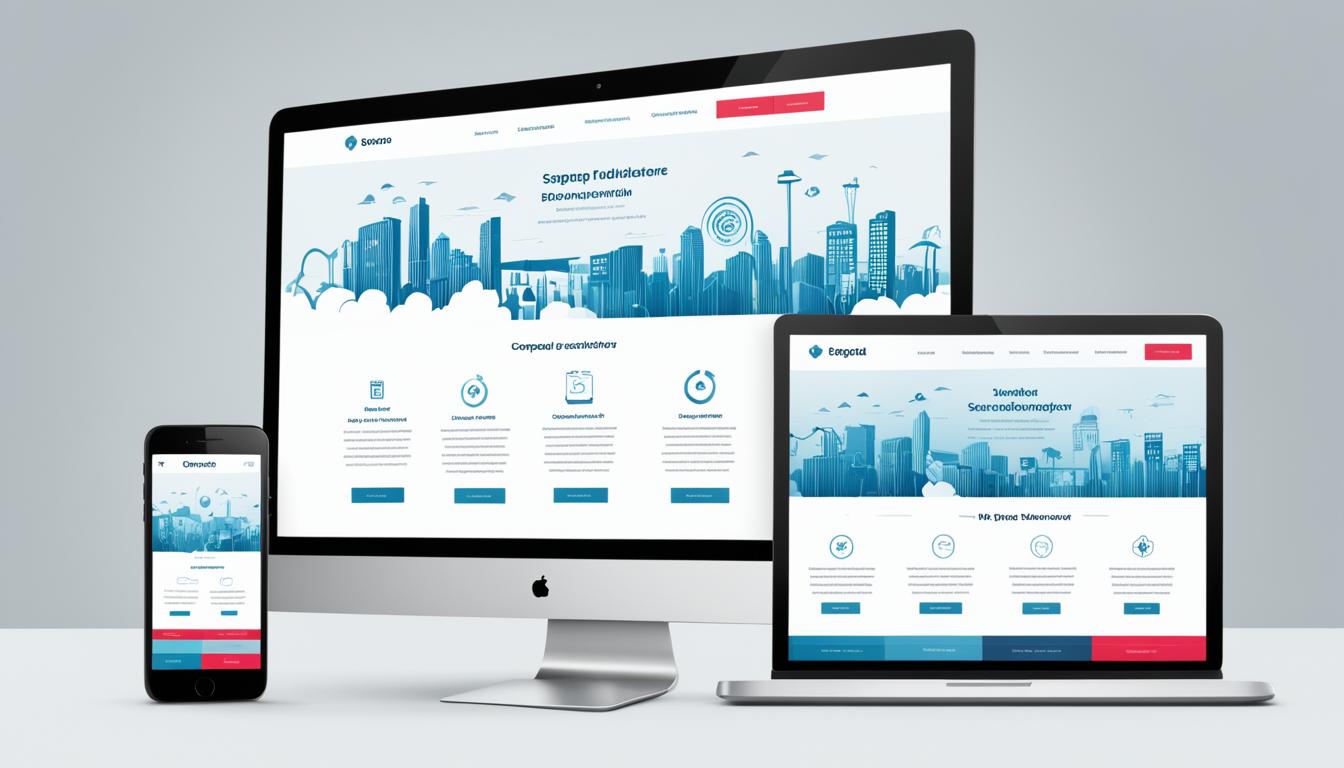
As the use of mobile devices continues to rise, it has become crucial for websites to adapt seamlessly to different screen sizes. This is where responsive web design comes into play.
Responsive web design involves creating websites that automatically adjust their layout, images, and content to provide an optimal user experience on any device. Whether it’s a smartphone, tablet, laptop, or desktop computer, responsive web design ensures that your website looks and functions flawlessly.
One of the primary advantages of responsive web design is that it eliminates the need to create separate versions of your site for different devices. Instead, a single website adjusts dynamically based on the user’s screen size and resolution.
By implementing responsive web design, you can provide a consistent and user-friendly experience to your visitors, regardless of the device they are using. This not only enhances user satisfaction but also improves SEO as search engines prioritize mobile-friendly websites in their rankings.
Key Benefits of Responsive Web Design:
- Improved User Experience: Responsive design ensures that users can easily navigate and interact with your website, regardless of their device.
- Increased Reach: With a responsive website, you can cater to a wider audience as it accommodates different screen sizes and devices.
- Cost and Time Efficiency: Maintaining a single website is more cost-effective and time-efficient compared to managing multiple versions for different devices.
- Consistent Branding: Responsive design allows you to maintain a cohesive brand image across all devices, reinforcing your brand identity.
Implementing responsive web design is a crucial step towards providing a seamless user experience and staying competitive in today’s mobile-driven world.
“Responsive web design ensures that your website looks and functions flawlessly on any device.”
Now, let’s take a look at an example of responsive web design in action:
| Traditional Website | Responsive Website |
|
|
As you can see from the example above, responsive web design ensures that your website provides an optimal experience for users, regardless of the device they’re using. It eliminates the frustrations of having to pinch and zoom or scroll excessively, making it easier for visitors to engage with your content and take desired actions.
Optimizing for Mobile Devices
When it comes to web design, mobile optimization is a crucial aspect that should not be overlooked. While responsive design ensures that your website adapts to different screen sizes, mobile optimization takes it a step further by tailoring the user experience specifically for mobile users. By optimizing for mobile devices, you can provide a seamless and enjoyable browsing experience for your mobile audience.
One important aspect of mobile optimization is creating mobile-friendly interfaces. This means designing your website with mobile users in mind, considering the limited screen space and touch interactions. Mobile-friendly interfaces prioritize important content, simplify navigation, and optimize touch targets to ensure that users can easily navigate and interact with your site on their mobile devices.
Improving loading speed for mobile devices is also essential for mobile optimization. Mobile users often have slower internet connections compared to desktop users, so it is crucial to optimize your website’s performance to minimize loading times. This includes optimizing images, using caching techniques, reducing the number of HTTP requests, and compressing files. By improving loading speed, you can enhance the user experience and reduce bounce rates on mobile devices.
Mobile optimization is not just about making your website visually appealing on mobile devices; it is about creating a seamless and user-friendly experience. By implementing mobile optimization techniques, you can ensure that your website meets the expectations of your mobile audience and keeps them engaged.
Ensuring Accessibility for All Users

When it comes to web design, accessibility is a crucial factor to consider. It ensures that users of all abilities can access and use your website effectively. By making your site inclusive, you not only cater to a wider audience but also create a positive user experience for everyone.
Implementing accessibility standards and techniques in your web design is essential. It involves considering the needs of individuals with disabilities and providing them with equal access to information and functionalities on your site. Here are some key considerations:
1. Use Alt Text for Images
When using images on your website, always include descriptive alt text. This helps users who rely on screen readers understand the content of the image. Additionally, it improves the overall SEO of your website by providing relevant information to search engines.
2. Provide Clear and Consistent Navigation
Navigation plays a vital role in website usability. Ensure that your navigation menus are easy to understand and consistent across all pages. Use descriptive labels and organize your site’s content in a logical manner. Including skip navigation links can be particularly helpful for users who rely on keyboard navigation or screen readers.
3. Support Keyboard Accessibility
Some users may have difficulty using a mouse or touch screen. Design your website with keyboard accessibility in mind, ensuring that all functionality and interactive elements can be accessed and used easily through keyboard navigation.
4. Ensure Color Contrast
Color contrast is crucial for users with visual impairments. Ensure that text and background colors have sufficient contrast to make it easy to read. Use tools like color contrast checkers to ensure compliance with accessibility guidelines.
5. Provide Captions and Transcripts for Media
If your website includes videos or audio content, provide captions and transcripts. This ensures that users with hearing impairments can access the information provided in the media.
By incorporating these accessibility techniques into your web design, you can create a more inclusive and user-friendly experience for all users. Remember, accessibility isn’t just a legal requirement; it’s a way to demonstrate your commitment to reaching and engaging with a diverse audience.
Creating Visual Hierarchy
When designing a website, it’s crucial to consider the visual hierarchy of your content. Visual hierarchy refers to the arrangement and presentation of elements on a page, guiding users through the information and helping them prioritize what to focus on.
By strategically utilizing visual cues, such as size, color, contrast, and positioning, you can create a clear and intuitive structure that enhances the overall user experience. To optimize visual hierarchy in web design, here are some key principles to keep in mind:
- Contrast: Use contrasting colors, font sizes, and shapes to highlight important elements and create visual distinctions between different sections. This allows users to quickly identify and navigate through the content.
- Typography: Choose fonts that are easy to read and vary their sizes to emphasize headings or key points. A combination of different font weights, styles, and sizes can establish a clear visual hierarchy.
- Whitespace: Use ample whitespace to separate elements and provide breathing space for the content. Effective use of whitespace can give your website a clean and organized appearance, making it easier for users to digest information.
- Alignment: Align elements consistently to create a sense of order and structure. Aligning text, images, and buttons ensures a cohesive design and helps users scan the page more effectively.
By implementing these visual hierarchy principles, you can guide users through your website’s content in a logical and intuitive way. This ultimately improves usability, engagement, and conversion rates.
Example of Visual Hierarchy in Action:
“The visual hierarchy of a website can greatly impact user engagement. By using color contrast, typography, whitespace, and alignment strategically, you can lead users’ attention to the most important elements on the page. This ensures that your message gets across effectively and enhances the overall user experience.”
Let’s take a look at an example of how visual hierarchy can be applied to a website:
| Element | Visual Hierarchy Implementation |
| Heading | Large font size, bold, positioned at the top |
| Subheading | Smaller font size, positioned below the heading |
| Call-to-action button | Contrasting color, larger size, positioned prominently |
| Body text | Smaller font size, aligned neatly, ample whitespace around |
| Supporting images | Positioned strategically to complement the content |
In the example above, the visual hierarchy is established through the use of font sizes, colors, positioning, and whitespace. The larger heading captures users’ attention first, followed by the subheading and the call-to-action button, which are strategically positioned to guide users towards the desired action. The body text and supporting images provide additional information and context.
By creating an effective visual hierarchy, you can ensure that your website not only looks visually appealing but also engages users in a meaningful way, making it easier for them to navigate and understand your content.
Conclusion
In conclusion, implementing UI and UX web design best practices is crucial for achieving success in the online world. By prioritizing user interface design, user experience design, website usability, responsive web design, mobile optimization, accessibility, visual hierarchy, and interaction design, you can create engaging and user-friendly websites that cater to the needs of your target audience.
Effective user interface design ensures that your website not only looks visually appealing but also provides intuitive navigation and clear functionality. This enhances the overall user experience and encourages users to stay longer on your site.
Additionally, user experience design focuses on creating meaningful and positive interactions for visitors. Through conducting user research, prototyping, and usability testing, you can continuously refine and improve the user experience of your website.
Website usability is another crucial aspect that directly impacts the success of your online presence. By optimizing navigation, organizing content effectively, and streamlining user flow, you can ensure that users can easily find what they are looking for and have a seamless browsing experience.
Responsive web design and mobile optimization are must-haves in today’s mobile-centric world. With a significant portion of internet users accessing websites through their smartphones and tablets, it is essential to design websites that adapt seamlessly to different screen sizes and provide a consistent user experience across devices.
Moreover, web accessibility is a vital consideration to make your website inclusive for users of all abilities. By adhering to accessibility standards and implementing techniques to accommodate people with disabilities, you can ensure that your website is accessible to a wider audience.
Visual hierarchy is another aspect that plays a crucial role in guiding users and emphasizing important information on your website. By using design principles such as contrast, size, and placement, you can effectively communicate your message and enhance the user experience.
Overall, incorporating UI and UX web design best practices into your website creation process can help you build a strong online presence that captivates and engages your audience. By focusing on these essential elements, you can make sure that your website is not just visually appealing but also user-friendly and successful in achieving your business goals.
FAQ
What are UI and UX web design best practices?
UI and UX web design best practices refer to the principles and techniques used to create visually appealing and user-friendly websites. These practices encompass various aspects, such as designing intuitive user interfaces, enhancing user experiences, ensuring website usability, implementing responsive design, optimizing for mobile devices, ensuring accessibility, creating visual hierarchy, and considering interaction design.
How can user interface design improve the overall user experience?
User interface design focuses on creating visually appealing and intuitive interfaces that allow users to interact with websites effectively. By considering factors such as consistent branding, clear navigation, user-friendly layouts, and intuitive interactions, UI design can enhance the overall user experience and make it more engaging and enjoyable.
What strategies can enhance user experience design?
Enhancing user experience design involves understanding user needs and preferences. To achieve this, strategies such as conducting user research, creating user personas, prototyping, and usability testing can be employed. These methods help designers uncover insights and make informed decisions to create meaningful and valuable user experiences.
How can website usability be improved?
Website usability is crucial for engaging users and keeping them on your site. To enhance usability, designers can optimize navigation by creating clear and intuitive menus, breadcrumbs, and search functionalities. Additionally, organizing content effectively, improving page loading speed, and ensuring accessibility for all users are key factors to consider in improving website usability.
What is responsive web design and why is it important?
Responsive web design is an approach that allows websites to adapt to different screen sizes and devices. With the increasing use of mobile devices, it is important to design websites that provide a seamless and consistent user experience across various platforms. Responsive web design ensures that your site is accessible and visually appealing, regardless of the screen size.
How can mobile optimization enhance the user experience?
Mobile optimization involves tailoring the user experience specifically for mobile devices. This includes optimizing loading speed, designing mobile-friendly layouts, and considering the unique needs and capabilities of mobile users. By providing a smooth and intuitive mobile experience, you can enhance user engagement and satisfaction.
What is web accessibility and why is it important?
Web accessibility focuses on designing websites that are inclusive and accessible to users of all abilities, including those with disabilities. By implementing accessible design practices, such as providing alternative text for images, ensuring proper color contrast, and using semantic HTML, you can ensure that everyone can access and use your website, regardless of their physical or cognitive abilities.
How can visual hierarchy improve the user experience?
Visual hierarchy involves organizing and prioritizing content on a webpage to guide users’ attention and help them navigate through the information more easily. By using techniques such as size, color, contrast, and spacing, you can create a clear and visually engaging hierarchy that improves readability and enhances the overall user experience.
Why are UI and UX web design best practices important for success?
Implementing UI and UX web design best practices is essential for creating a successful online presence. By considering factors such as user interface design, user experience design, website usability, responsive web design, mobile optimization, accessibility, visual hierarchy, and interaction design, you can build engaging and user-friendly websites that meet the needs of your target audience. This, in turn, can lead to increased user satisfaction, improved conversion rates, and higher success in achieving your website’s goals.